Mar 17, 2009

Fix: Bluetooth Disconnect at Startup for Ubuntu

Bluetooth connectivity problems at startup: Fixes bluetooth disconnecting at login for Ubuntu
> gksu gedit /etc/default/bluetooth> gksu gedit /etc/init.d/rc
HID2HCI_ENABLED=0
HID2HCI_UNDO=1
.

Startup tweaks for Ubuntu and Dual/Quad Core CPUs

Less wait time for boot menu at startup
> gksu gedit /boot/grub/menu.lst
"timeout 1"
For Dual CPU Ubuntu machines: Faster startup sends boot process to two CPUs
> gksu gedit /etc/init.d/rc
CONCERRENCY=shell
.

Mar 16, 2009

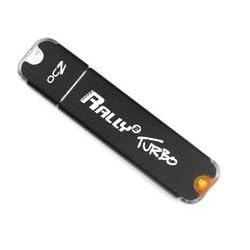
How to: Install Ubuntu 8.10 to a USB Stick

Yes, there's a LiveUSB stick install included in Ubuntu 8.10, but that's NOT what we want to accomplish here. What we do want is a full blown USB Ubuntu installation, and it turns out the solution to this is pretty simple:

Just install Ubuntu straight to the USB stick as you would for a hard drive installation! As long as your computer BIOS can boot off a USB stick, then you should be okay.

My installation went on a 4GB stick leaving me with about 1.2GB of free space.

  1. Boot off a Ubuntu LiveCD
  2. Choose the location of your USB stick to install (I chose guided, use entire disk)
  3. Wait until it's finished installing
  4. Reboot and remove CD
  5. ENJOY!

To limit writes to your USB stick, you can follow the guide here: Click

.

SSD Tweaks for less I/O from eeeUser

The following post was copied from: http://wiki.eeeuser.com/ubuntu:eeexubuntu:customization

Even less disk IO

http://forum.eeeuser.com/viewtopic.php?id=5984.

On machines with a swap partition add the following to:
> sudo mousepad /etc/rc.local

Put these two lines just before the “exit 0” statement at the end:
sysctl -w vm.swappiness=1           # Strongly discourage the swapping of application data to disk
sysctl -w vm.vfs_cache_pressure=50 # Don't shrink the inode cache so aggressively.
This reduces the likelihood of the actual applications, or directory listings, from being paged out. Disk page cache is not nearly as important as random access SSD reads are faster than on HD. As a by-product the above will improve the responsiveness for interactive use (which is the primary use of the EEE), although reducing the overall performance of the system.

Or you can avoid changing the script and edit /etc/sysctl.conf instead. Change the last line to be

vm.swappiness=1

then add the line

vm.vfs_cache_pressure=50

Add noatime to your fstab

By default Linux ext2/3 keeps a tab on access times for every file on the system. This leads to more writes than we need. Add “noatime” to the options for the / mount as shown below.

> sudo mousepad /etc/fstab
# /etc/fstab: static file system information.
#
#
proc /proc proc defaults 0 0
# /dev/sda1
UUID=10d03d2a-7732-4f6f-924f-541b39dd9559 / ext2 defaults,noatime,errors=remount-ro 0 1
#/dev/sdb1 /media/cdrom0 udf,iso9660 user,noauto,exec 0 0
You will need to reboot or run …

sudo mount -o remount /

On newer kernels, “relatime” provides much the same advantages while maintaining higher compatibility (some mail clients rely on atime).
Use ramdisk for temp files

RAM-based temporary file systems

This saves SSD disk space and reduces the number of writes to the SSD, which will maximise its lifetime and provide a very small improvement to system performance.

Edit /etc/fstab again

> sudo mousepad /etc/fstab

and add these lines to the end
# enable RAM-based temporary file systems
tmpfs /var/tmp tmpfs noatime 0 0
tmpfs /tmp tmpfs noatime 0 0
This means that anything stored in /var/tmp or /tmp won't survive a reboot. If you're debugging a problem where you need to preserve those files e.g after a crash, then you can temporarily comment out those lines.

.

Feb 22, 2009

Solution to Intel 945GM resolution problems in Ubuntu

Problem: I wasn't getting the maximum display resolution while using my LCD monitor over DVI. The only option in Ubuntu 8.10 Screen Resolution was to mirror screens or have dual output because of LVDS on the motherboard.

It looks like LVDS is getting enabled even when it's disabled in the BIOS.
https://wiki.ubuntu.com/X/Quirks#Ignore%20LVDS%20Output%20Quirk

Solution:
http://forum.eeeuser.com/viewtopic.php?id=39698

This should work for most Intel 945XX users:

gksudo edit /etc/X11/xorg.conf
Section "Device"
Identifier "Configured Video Device"
Driver "intel"
Option "monitor-LVDS" "LVDS"
EndSection

Section "Monitor"
Identifier "Configured Monitor"
EndSection

Section "Monitor"
Identifier "LVDS"
Option "Ignore" "True"
EndSection

Section "Screen"
Identifier "Default Screen"
Monitor "Configured Monitor"
Device "Configured Video Device"
EndSection
.

Jan 19, 2009

Error: /usr/bin/ld: cannot find -lncurses

If you receive this error message, here's a possible solution:

apt-get install libncurses5-dev

OR in Synaptics Manager install libncurses5-dev

.

Error: /usr/bin/ld: crt1.o: No such file: No such file or directory

If you receive this error message, here's a possible solution:

apt-get install libc6-dev

.